
SmokeBot PRO is an automated futures trading service for the Bybit exchange, allowing users to automate their trading and potentially generate consistent returns.
To get started, simply register on the website by providing some basic personal information, such as your name, phone number, and email address. Registration is completely free and does not require you to enter any payment details.
After registration, you will have access to your personal account, where you need to enter your Bybit API credentials to connect the bot to the exchange. This information must be entered before activating the bot. Otherwise, the bot will not start.
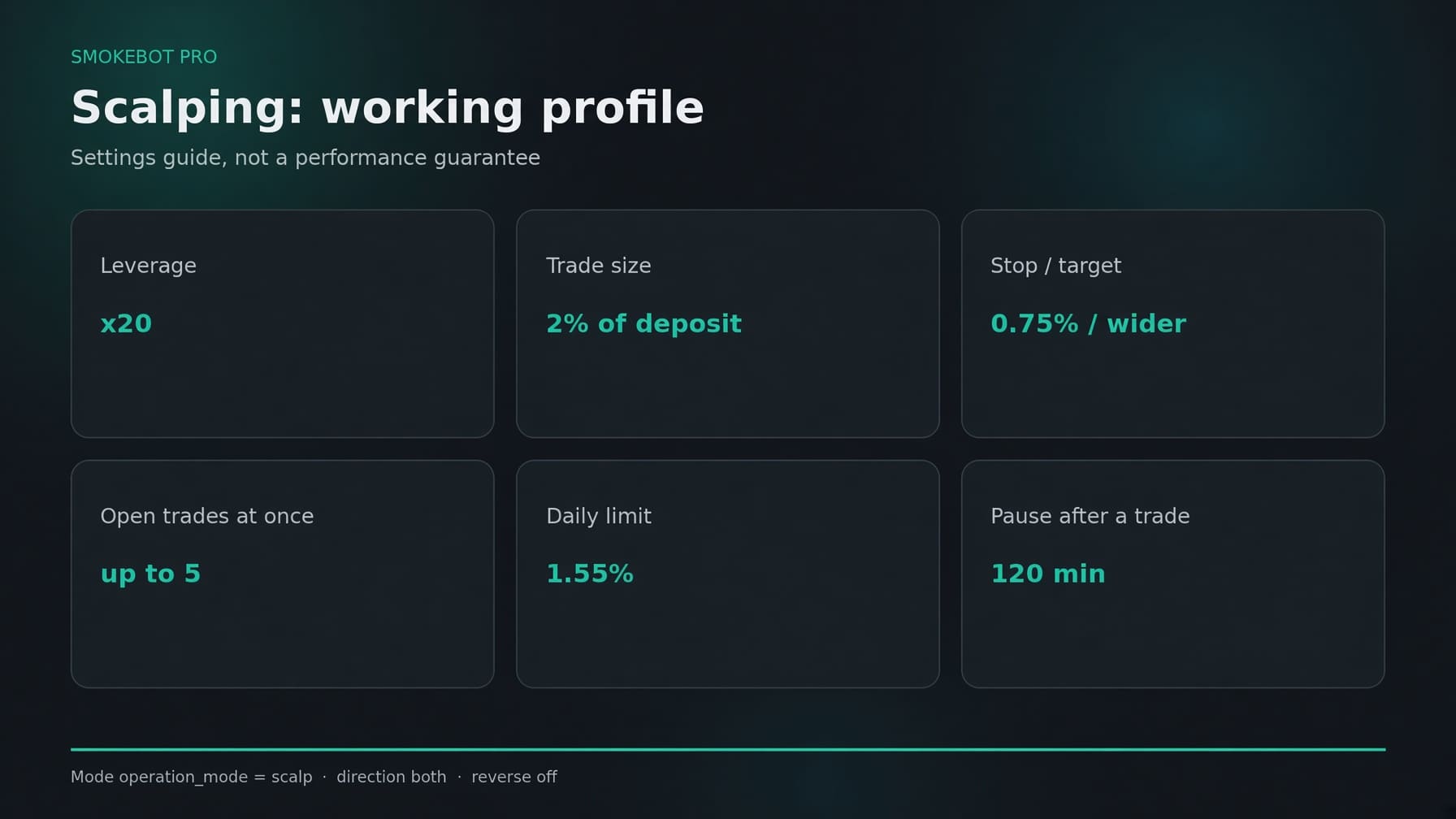
Next, choose the trading mode you want to use, set your Take Profit and Stop Loss levels, or enable automatic settings based on current market conditions. You can also set your preferred leverage from x1 to x50.
For convenient monitoring of your trades, you can enable Telegram notifications. Once enabled, you will receive notifications whenever the bot is turned on or off, as well as when positions are opened or closed.
Once everything is configured, you are ready to start trading. Click the “My Bot” button in the top-right corner to access the bot's control panel. The interface is simple and consists of just three buttons: Start, Stop, and Restart. The bot handles everything else, while you can monitor its performance using charts or the target calculator.
We wish you successful trading with SmokeBot PRO.